Native macOS time tracking

Track your tiiiime.

The Mac time tracker that lives in your menu bar. Start a session with one keystroke, tag it to a project, and watch every billable hour add up - without ever breaking your flow.

macOS 26 (Tahoe) or later. Built for Apple silicon.
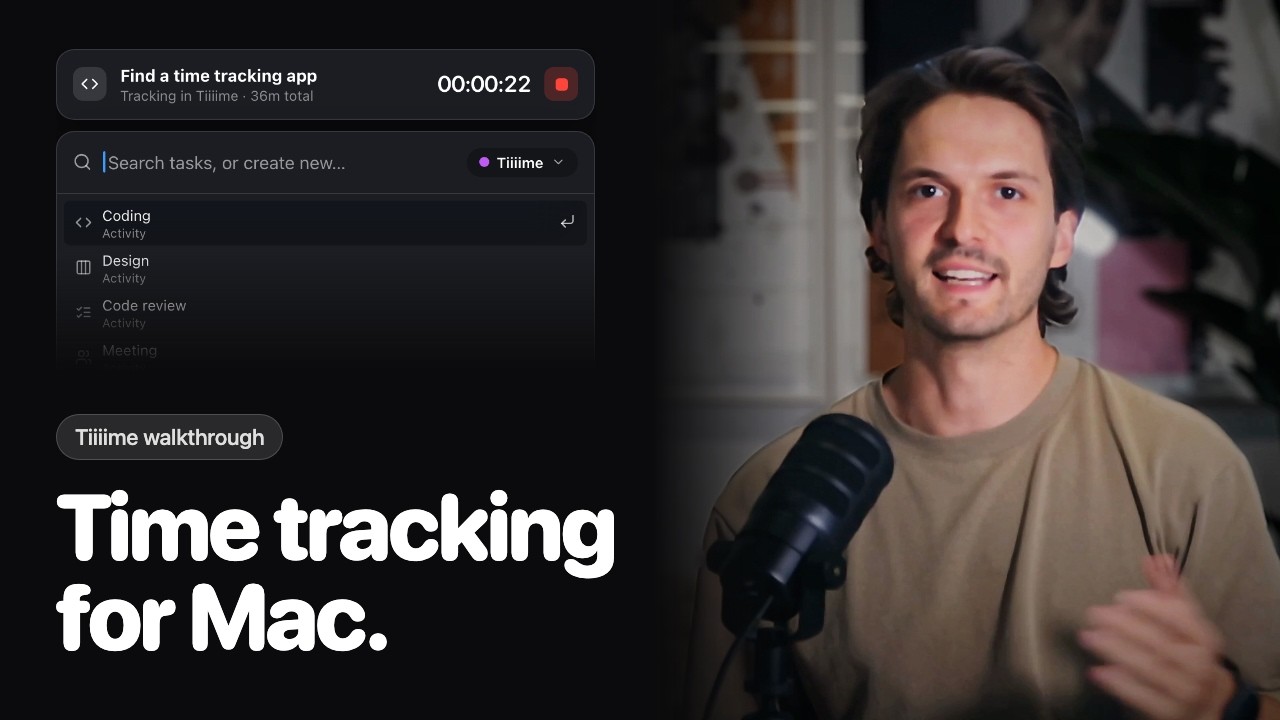
Find a time tracking app
Tracking in Tiiiime · 36m total
00:00:19
↑↓NavigateStartSwitch projectescClose

Menu-bar tracking

Track from your menu bar.

Tiiiime lives in the menu bar. A glance tells you what's running; one click starts, stops, or notes a session - no window, no context switch.

  • Always one click away - the live timer ticks right in your menu bar.
  • Notes & recents built in, so logging a session takes seconds.
  • Switch projects without leaving the popover.
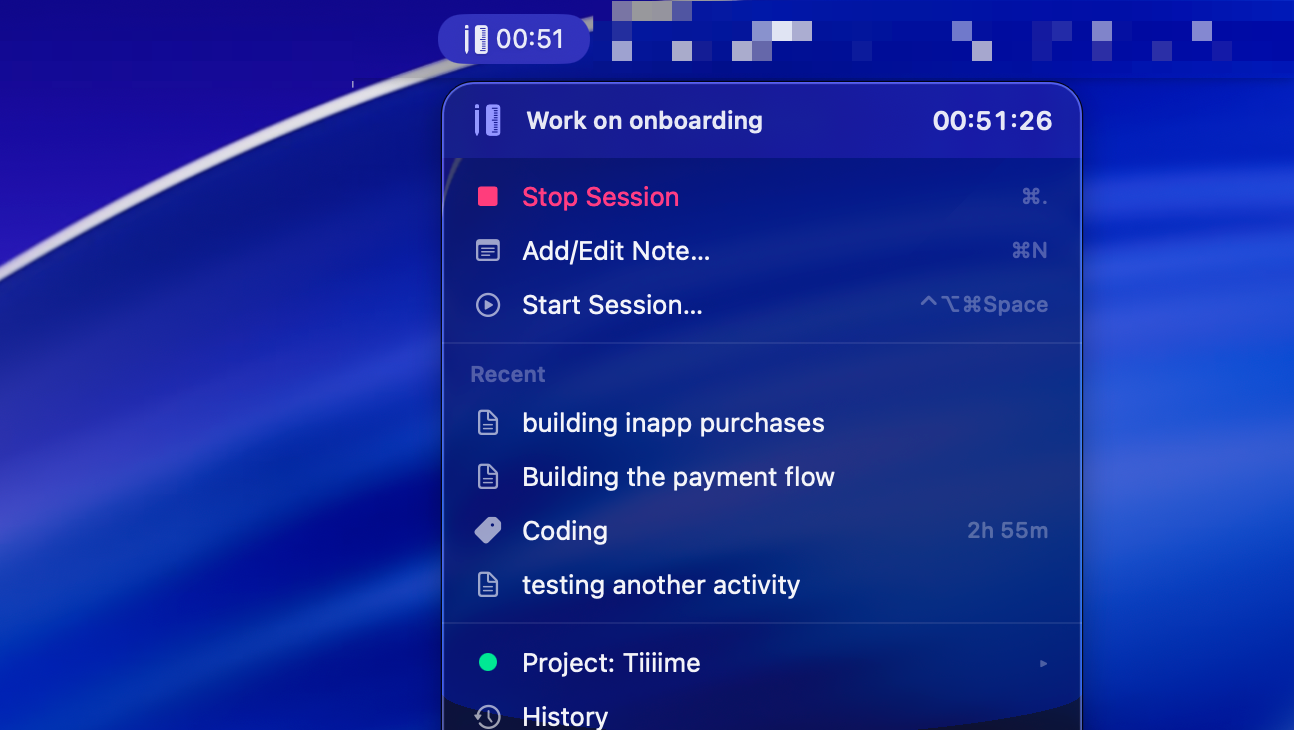
Tiiiime menu-bar popover

QuickStart

One keystroke. Any task.

Hit the global hotkey and the QuickStart launcher drops in. Search a task or activity, pick a project, press return - you're tracking before the panel finishes animating.

  • ⌃⌥⌘Space from anywhere, mouse never required.
  • Fuzzy-search every task, activity, and project.
  • Create a new task inline and start it in the same breath.

Idle detection

Never lose a minute.

Step away for a coffee and Tiiiime notices. When you come back it asks what to do with the idle time - keep it, discard it, or split the session - so your hours stay honest.

  • Auto-detects when you've gone quiet.
  • Keep, discard, or trim the idle stretch.
  • Your billable totals stay accurate without babysitting.

Works with Linear

Tiiiime your Linear issues.

Your Linear board, one keystroke away. Start the clock on any assigned issue right from QuickStart - the hours sync straight back to Linear, no copy-paste.

Linear sync
TIM-42 - Fix the auth refresh bug01:50:12
Search issues, tasks, or create…Linear
navigatestartSynced with Linear
Apple Intelligence

Tag it automatically.

Apple Intelligence reads each session on-device and suggests the right activity tag - so your time lands in the right bucket without you thinking about it.

  • On-device - nothing leaves your Mac.
  • Suggests the activity; you stay in control.
  • Cleaner stats with zero manual filing.

Driven by your AI

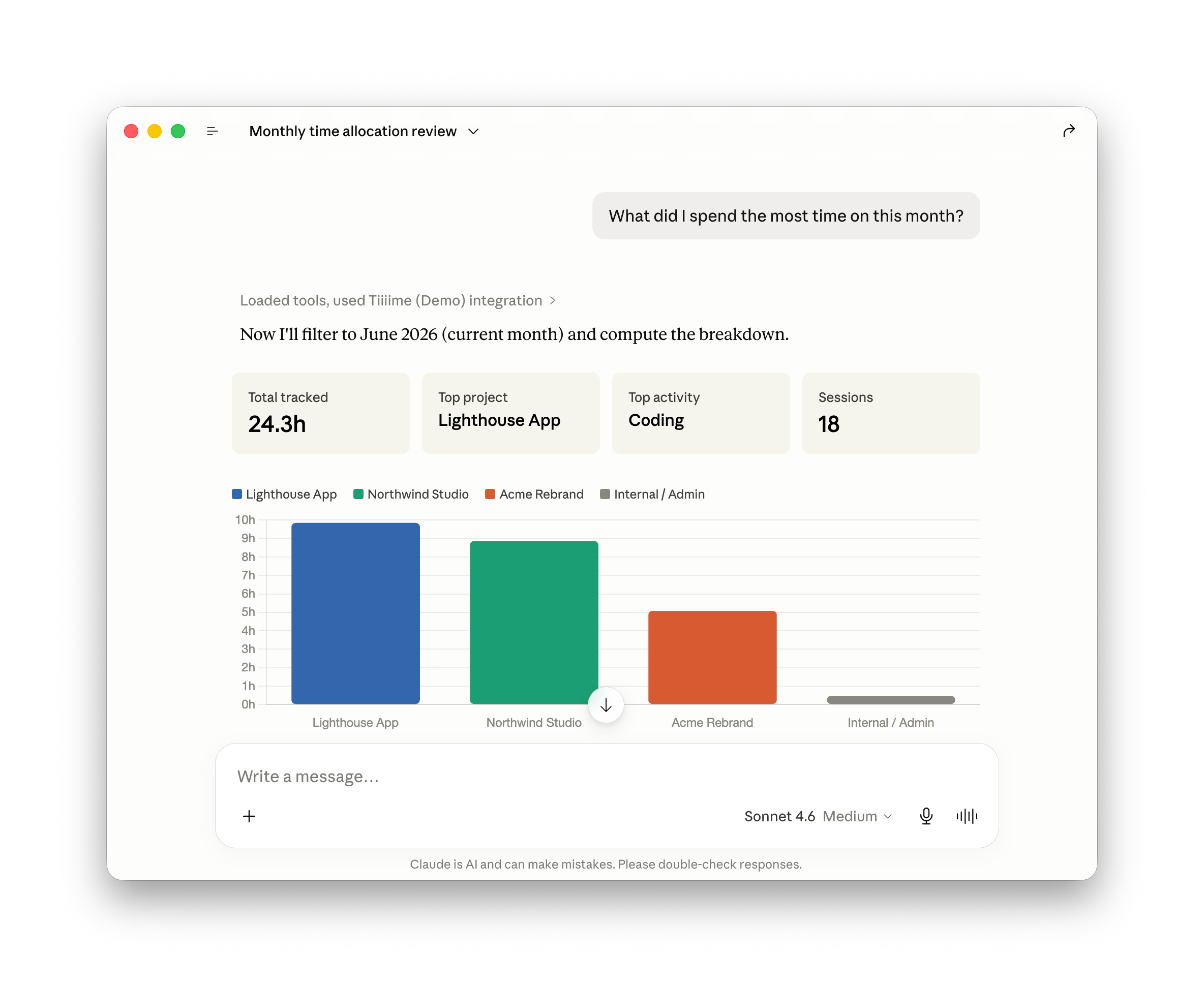
Ask your assistant about your time.

Tiiiime ships a CLI and MCP server, so assistants like Claude and ChatGPT can read and control your tracking from a chat - just ask, and get a real answer backed by your data.

Claude ChatGPT
Claude answering a question using the Tiiiime integration

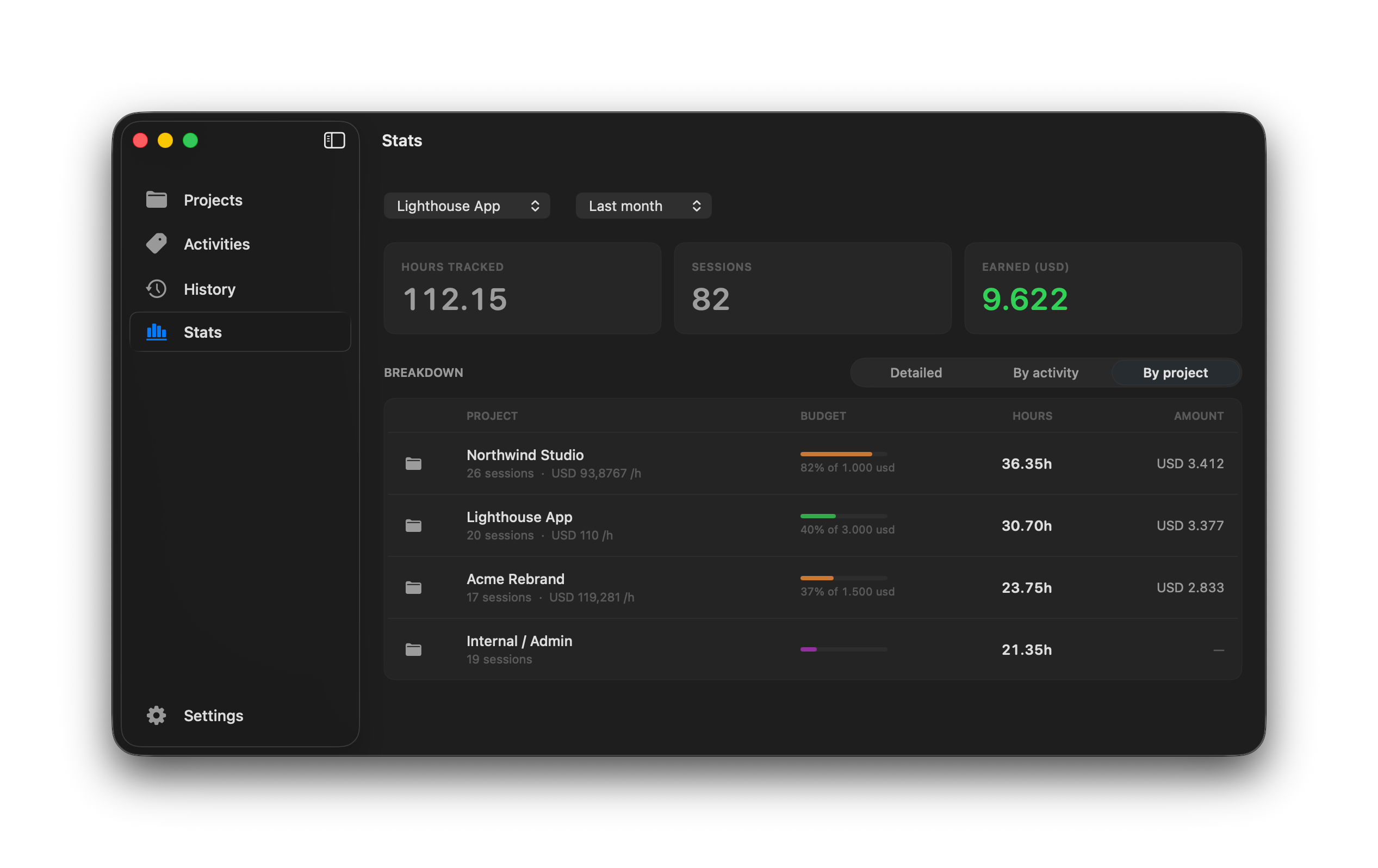
Stats & billing

Bill every hour you earn.

Set a rate per project or activity and Tiiiime tallies what you've made in real time - track it against a budget, then export an invoice-ready sheet in one click.

Tiiiime Stats window
Budgets that warn early
Set a monthly spend cap. The bar turns orange before a project runs over.
Estimates vs. actuals
Give a task an estimate and watch the remaining time count down as you work.
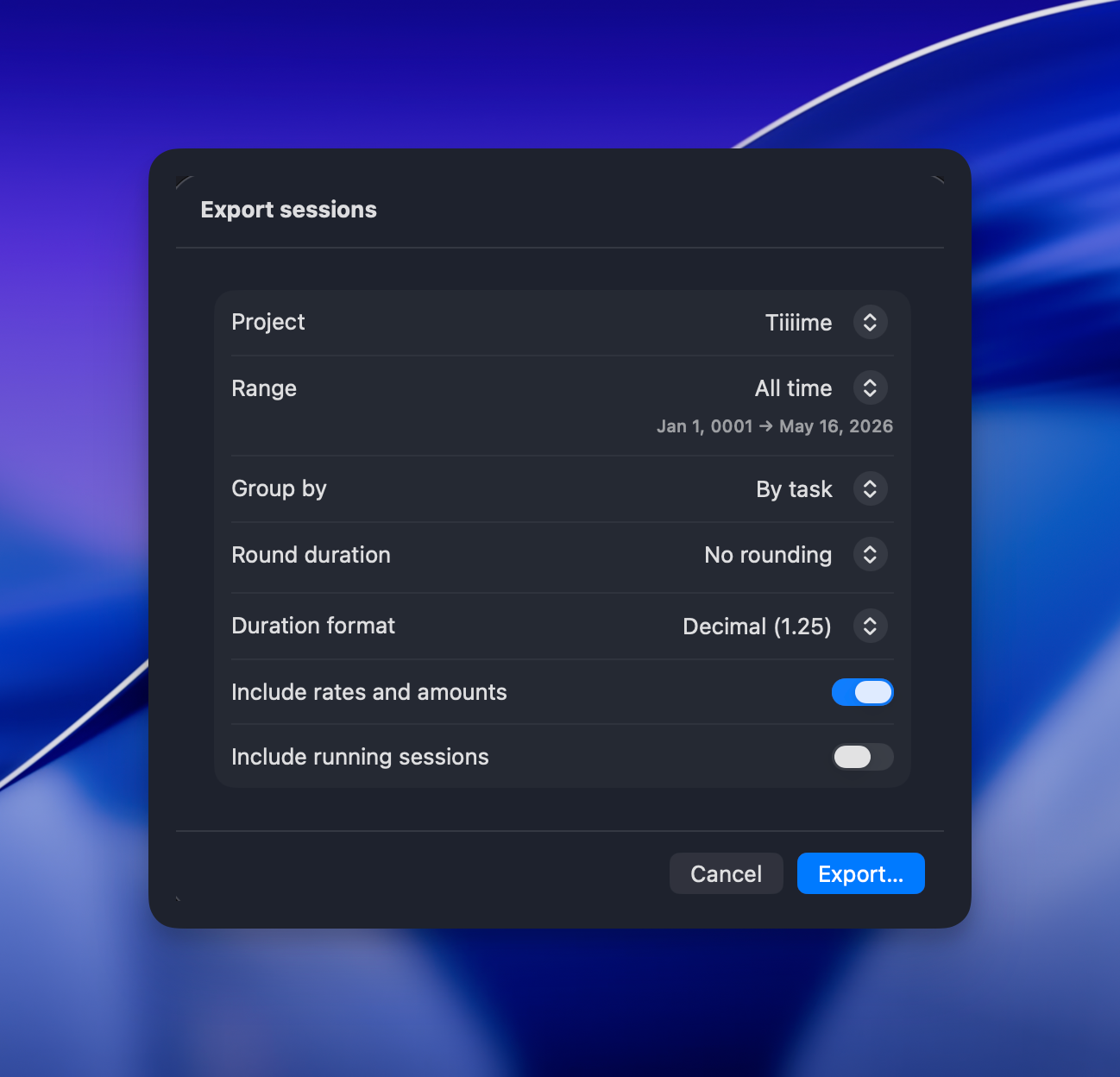
Export sessions dialog
Export, invoice-ready
Group by task, round durations, include rates - export to CSV in a click.

Built for the platform

Made for macOS.

Every framework that makes a Mac a Mac - SwiftUI, AppKit, iCloud, and Apple Intelligence.

Apple Intelligence
Reads each session and tags the right activity - on device.
Building the payment flowCoding
Hotkeys
Start without the mouse.
Space
iCloud Sync
In step across your Macs.
MacBook Pro
Mac mini
MacBook Air
iMac
Mac Studio
MacBook Pro 14”
Time insights
23.8h
CSVExcelPDF
MCP server
Open to any AI agent.
get_sessionsstart_timerstop_timerlist_projectsswitch_projectlog_summaryset_rateexport_csv connected
Light & Dark
Matches your system.
Auto
Auto-pause
Stops when idle.
Paused
Budget alerts
A nudge before a project runs over.
Acme Rebrand82% of $1,000
★★★★★
4.9
on the App Store

Pricing

One app. Every hour.

Less than a coffee a month. One plan, every feature.

$3.33/ month
Billed annually - $39.99/year.

14-day money-back guarantee · macOS 26 (Tahoe) or later

  • Menu-bar tracking & global hotkeys
  • Linear sync & AI assistant access
  • Budgets, rates & invoice-ready exports
  • Apple Intelligence auto-tagging
  • iCloud sync across all your Macs
  • Every future update, included

FAQ

Good questions.

Yes. Tiiiime is a native macOS app built with SwiftUI and AppKit - no Electron, no browser tab. Your sessions live on your device and sync privately through your own iCloud account.
Connect your Linear workspace once. Your assigned issues show up right inside the QuickStart launcher - start the clock on any issue and the tracked hours sync straight back to Linear, no copy-paste.
Tiiiime ships a CLI and MCP server, so an assistant like Claude can read and control your tracking from a chat - ask what you spent the most time on, or have it start a session for you.
Set an hourly rate per project or activity and Tiiiime tallies what you've earned in real time. Export any range to a clean, invoice-ready CSV - grouped by task, with rates and amounts included.
Any Mac running macOS 26 (Tahoe) or later, on Apple silicon.
Tiiiime app icon

Get your tiiiime back.

Download Tiiiime and start your first session in under a minute.

macOS 26 (Tahoe) or later